https://developers.google.com/oauthplayground/
OAuth 2.0 Playground
Request Body Manual entry Enter the data that will be added to the body of the request: File You may choose to send a file as part of the request. When both a file and manual content are provided both will be sent using a multipart request. You may send fi
developers.google.com
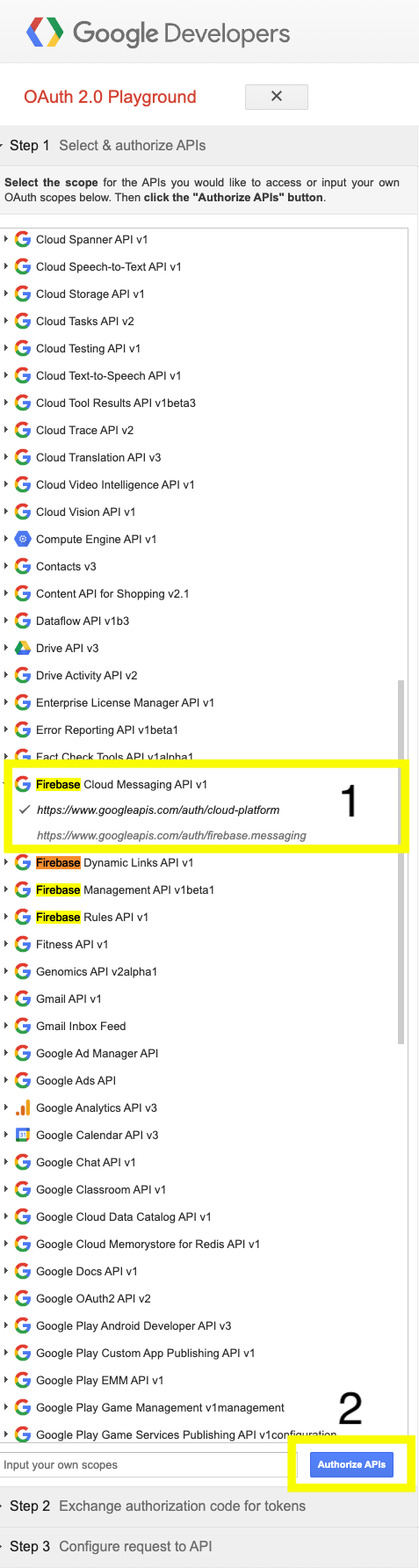
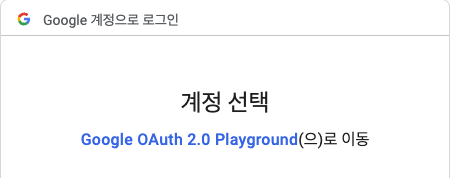
Authorize APIs 버튼을 클릭하면, 계정선택으로 이동, 계정을 선택한다.
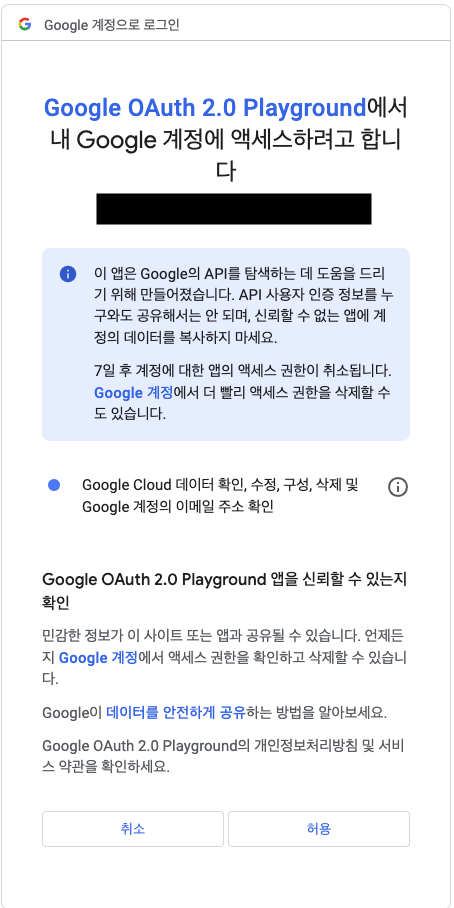
허용 클릭
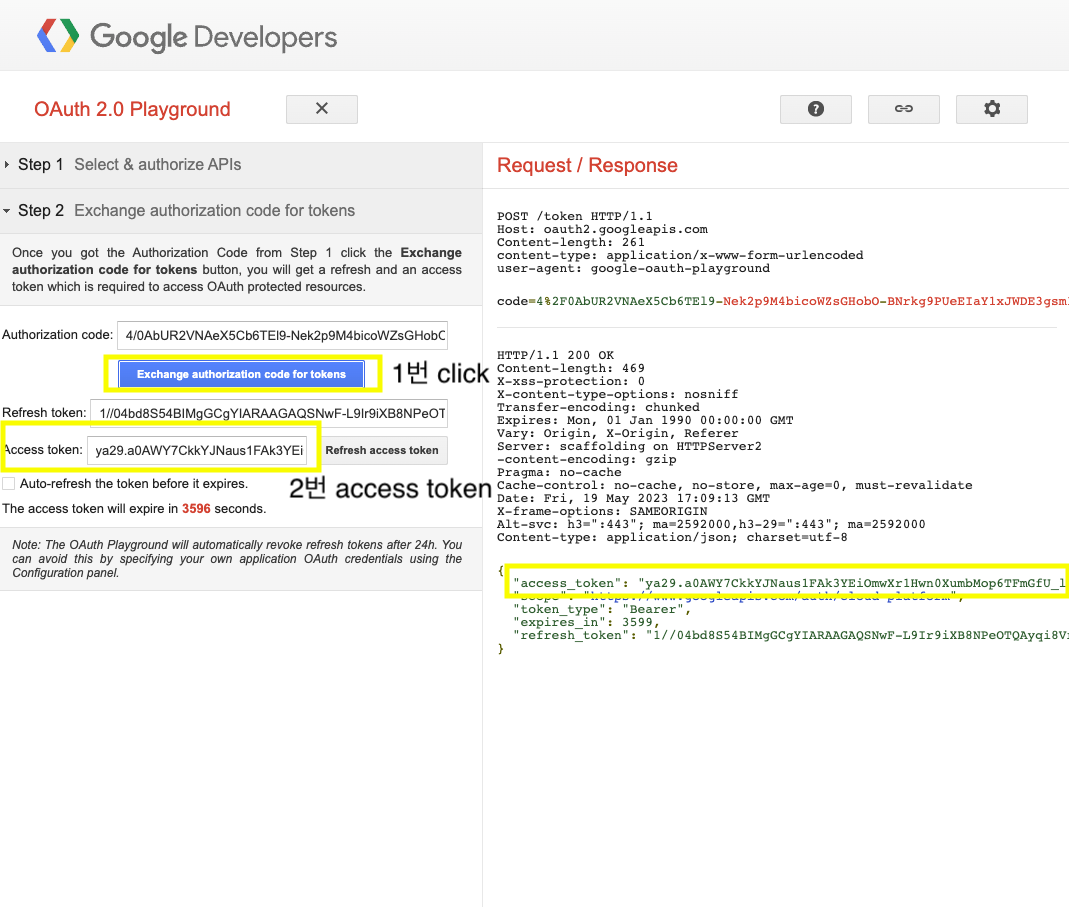
Exchange authorization code for tokens 버튼을 클릭하면, Access token과 Refresh token이 생성된다.
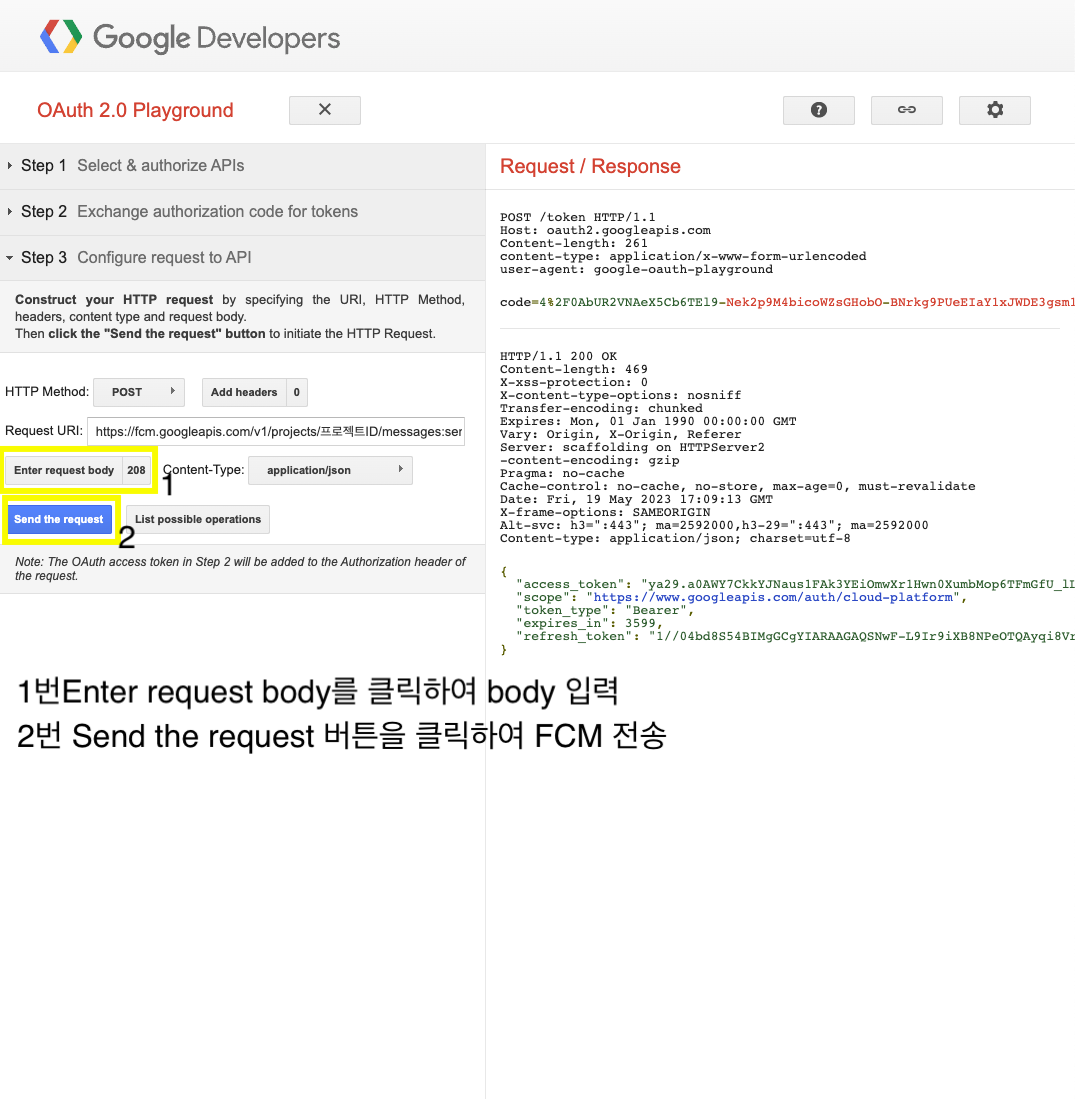
Request URI는 아래처럼 구성한다.
https://fcm.googleapis.com/v1/projects/프로젝트 ID/messages:send프로젝트 ID는 Firebase console 또는 google-service.json 또는 GoogleService-info.plist에서 확인하면 된다.
body 내용을 구성하고, Send the request 버튼을 클릭하면 전송이 된다.
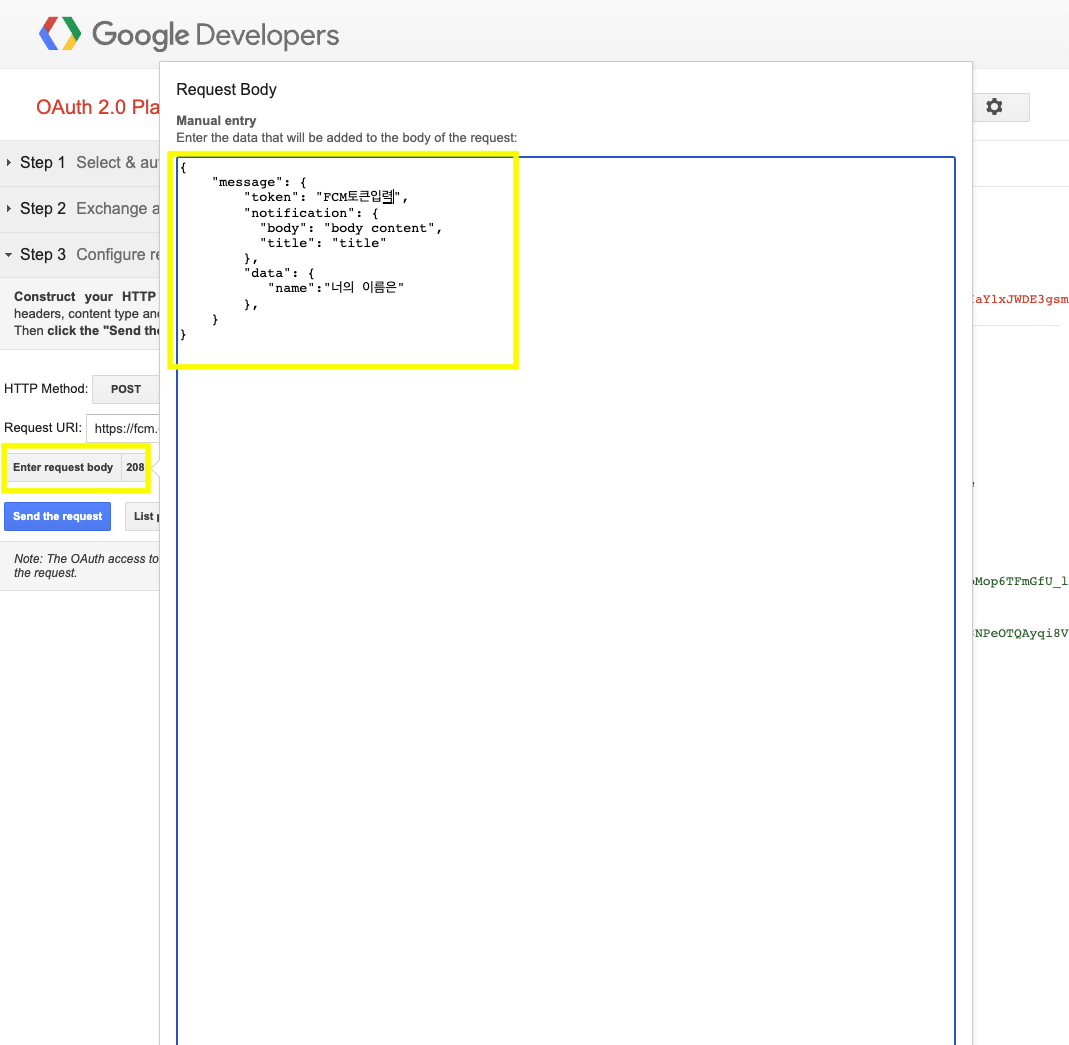
Enter request body 버튼을 클릭하여 푸시메시지 body 내용을 입력한다.
{
    "message": {
        "token": "FCM_TOKEN",
        "notification": {
          "body": "Body 내용",
          "title": "title 내용"
        },
        "data": {
          "name": "너의 이름은",
          ...
        }
    }
}
token은 나의 디바이스(핸드폰)의 FCM 토큰값을 넣으면된다.
body의 message객체에서 data의 경우는 optional이라 생각하면 된다.